
1. Log in to your Pilates Encyclopedia account.
2. Click My Account.
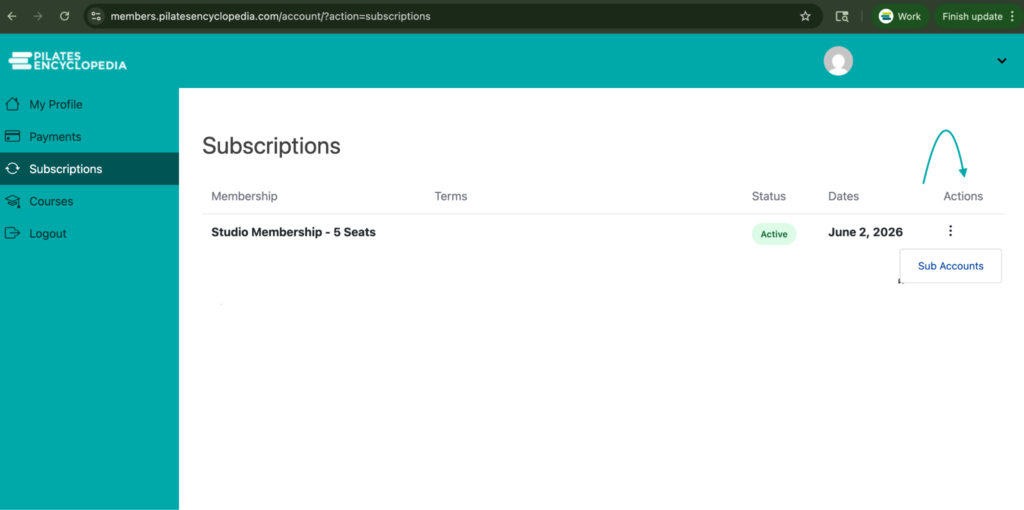
3. Select Subscriptions. Locate your Studio Membership to manage teacher access.
4. Open the Subaccounts management screen
- In the Studio Membership section, click Actions.
- Select Subaccounts.
- Review the two available methods for adding teachers:
- Manual entry
- Self-signup using a shared URL
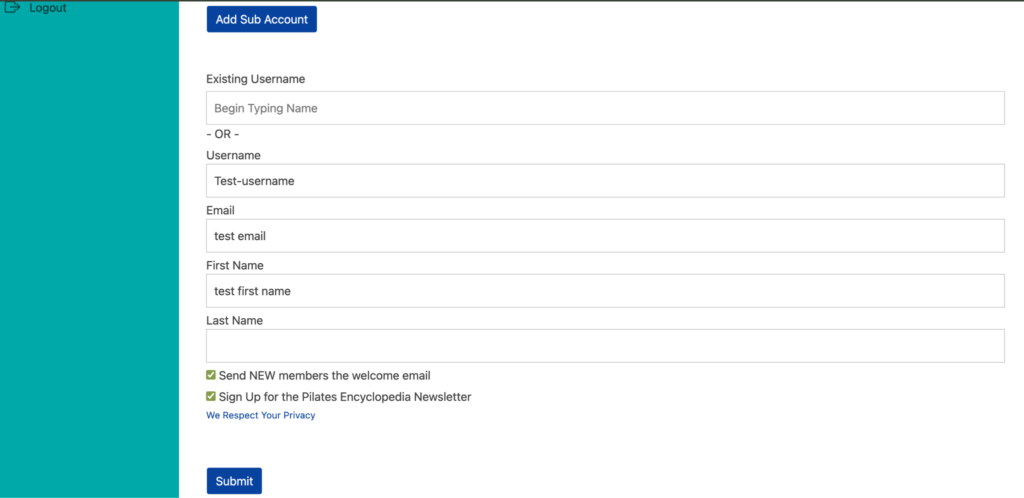
5a. Add a teacher manually (option 1)
- Choose the manual add option.
- Create a username for the teacher.
- Enter the teacher’s required information in the provided fields.
- Confirm all details are accurate before proceeding.
- Send the welcome email and newsletter optoin. Make sure both checkboxes are selected:
- Send welcome email so the teacher receives login instructions and password setup details.
- Sign up for the newsletter if applicable.
- Verify the welcome email option is enabled before submitting.
- Click Submit to create the subaccount.
- Confirm the new teacher appears in the subaccounts list.
- Use the list to track how many subaccounts are currently active.
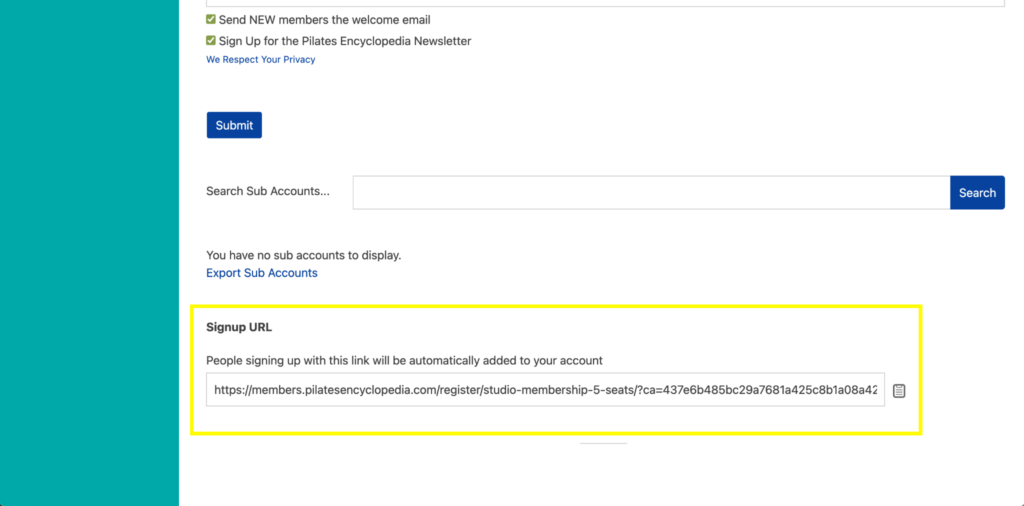
5b. Share the self-signup URL with teachers (option 2)
- Choose the URL-sharing option if you want teachers to register themselves.
- Copy the provided URL.
- Send the link to the teacher(s) so they can complete their own signup.
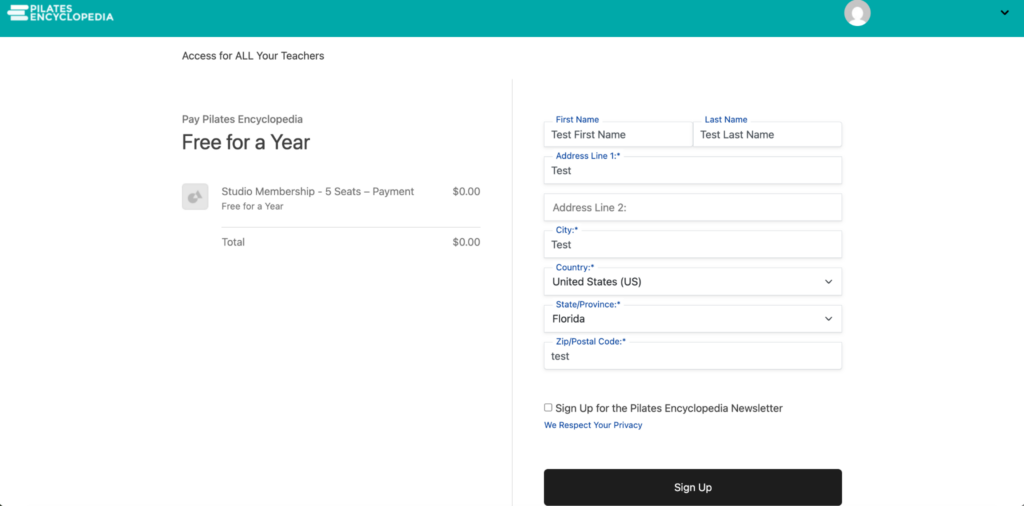
- Inform teachers that the signup link will show as free because the Studio Membership has already been purchased.
6. Verify all added teachers are listed
- After the teacher completes signup, check your account to confirm the subaccount appears in the list.
- Whether added manually or through self-signup, confirm each teacher appears under Subaccounts.
- Use the list to monitor current membership usage and ensure all intended teachers have access.
Cautionary Notes
- Do not forget to select the welcome email checkbox when adding teachers manually; otherwise, they may not receive login instructions.
- Ensure the teacher’s information is entered correctly before clicking Submit.
- Only share the self-signup URL with authorized teachers who should have access to the Studio Membership.
- If a teacher does not appear in the subaccounts list after signup, verify the process was completed successfully and check for entry errors.