
Select Pilates Encyclopedia memberships and courses are available as gifts for the Pilates teacher or enthusiast in your life.
- Choose one of these options:
- Annual Membership (Not Renewing) Purchase | Learn More
- Own the Room Bootcamp Purchase | Learn More
- Pilates Teaching Lab October 2026 Purchase | Learn More
- Career Advice Course Purchase | Learn More
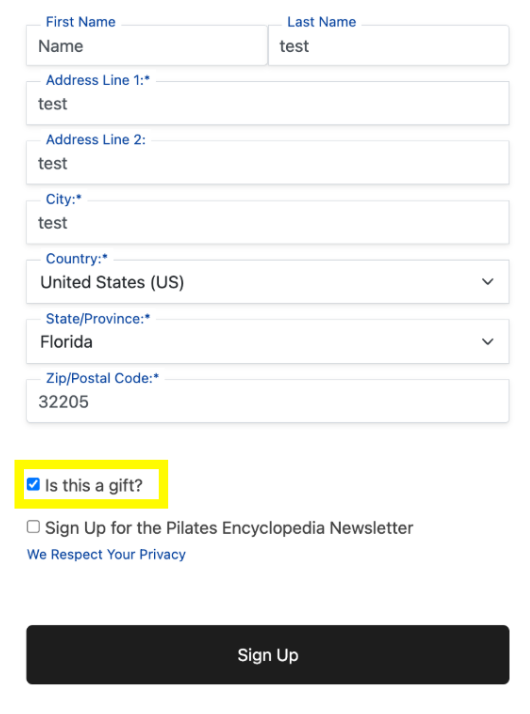
- Go to the checkout page for the offer you’d like to gift. Fill in your (the purchaser’s) information:
- Check the “Is this a gift?” box. This tells the system to generate a gift coupon instead of activating the offer directly on your account.
- Click Sign Up to complete the purchase.
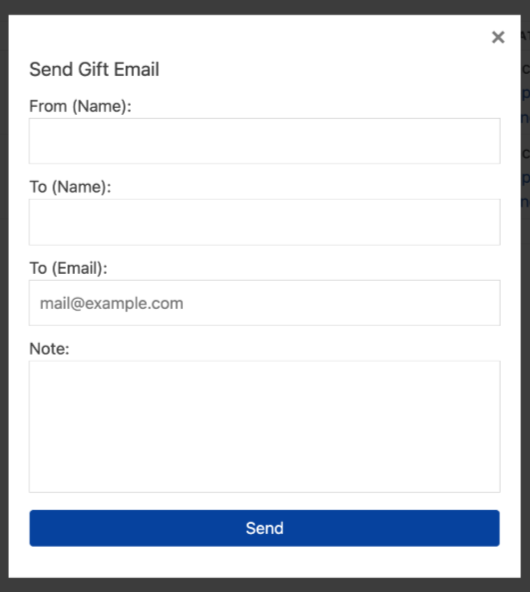
5. Send the Gift Email: After checkout, a Send Gift Email popup will appear. Fill in:
- From (Name): your name
- To (Name): the gift recipient’s name
- To (Email): the gift recipient’s email address
Click Send to email the gift notification to the recipient.
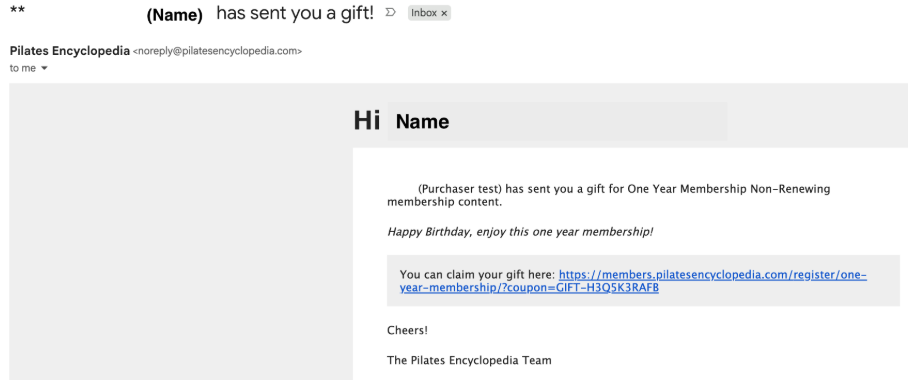
6. The recipient receives an email letting them know a gift has been sent to them, along with a personalized note (if one was included) and a claim link containing their unique gift coupon code.
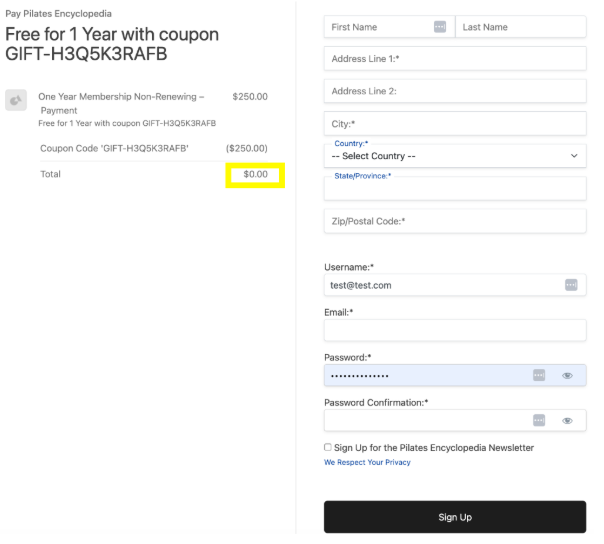
7. Recipient Redeems the Gift and Creates Their Account: When the recipient clicks the claim link in the email, they will proceed to the registration page for the specific offer, with the gift coupon already applied. The coupon discounts the price down to $0.00, so the recipient isn’t charged. The recipient will be asked to fill in their
- First and Last Name
- Address
- Username
- Password and Password Confirmation
Once complete, they click Sign Up to create their account and activate the gifted offer.
Congratulations! Now, the offer or membership is active on the recipient’s new account!